


 Korean


메타 설명
2026년 엔터프라이즈 가상화 솔루션을 설계하는 방법을 알아보십시오. 이 가이드에서는 서버, 스토리지, 네트워킹, VMware 아키텍처 및 확장 가능한 IT 인프라를 위한 최적의 사례를 다루고 있습니다.
현대 기업 IT용 가상화 솔루션
기업 IT 인프라는 가상화와 클라우드 기반 환경에 빠르게 발전하고 있습니다.
오늘날 조직들은 더 이상 단일 물리적 서버에 의존하지 않고 작업 부하를 처리하기 위해 가상화 기술을 도입하여 효율성, 확장성 및 비용 통제를 향상시키고 있습니다.
이 분야에서 가장 널리 사용되는 플랫폼 중 하나는 VMware vSphere입니다. 이는 기업이 하나의 물리적 인프라에서 여러 가상 컴퓨터를 실행할 수 있도록합니다.
현대 가상화 솔루션은 일반적으로 Dell Technologies와 Hewlett Packard Enterprise의 엔터프라이즈 수준의 하드웨어에 구축됩니다.
이 가이드는 완전한 엔터프라이즈 가상화 솔루션을 설계하는 방법을 설명합니다.

1엔터프라이즈 가상화 솔루션이란 무엇입니까?
가상화 솔루션은 하나의 물리적 서버에서 여러 가상 머신 (VM) 을 실행할 수 있습니다.
기업들은 다음과 같이 할 수 있습니다.
- 하드웨어 사용량을 향상
- 인프라 비용 절감
- IT 관리의 단순화
- 시스템 확장성을 높여
- 재난 복구 개선
가상화는 현재 현대 데이터 센터와 클라우드 인프라의 기초입니다.
2가상화 인프라의 핵심 구성 요소
완전한 가상화 환경은 네 가지 핵심 계층으로 구성됩니다.
1) 계산 계층 (서버)
가상 머신을 운영하는 책임자
일반적인 하드웨어:
- 랙 서버
- 하이코어 CPU 시스템
- 고 메모리 구성
2) 저장층
VM 데이터 저장장치 책임자
일반적인 해결책:
- SAN 저장장치
- NAS 저장장치
- NVMe SSD 배열
3) 네트워크 계층
가상 머신과 외부 시스템 간의 통신을 보장합니다.
다음을 포함합니다.
- 고속 스위치
- 불필요한 네트워크 어댑터
- 로드 밸런싱 시스템
4) 관리 계층
가상화 자원을 제어합니다.
다음을 포함합니다.
- 하이퍼바이저
- 모니터링 도구
- 자원 할당 시스템
3가상화를 위한 하드웨어 요구사항
CPU 요구 사항
가상화는 고핵 CPU를 필요로 합니다.
권장:
- 최소 16개의 코어
- 기업용 작업 부하에 32~64개의 코어
- 64+ 코어 대용량 배포
메모리 (RAM) 요구 사항
메모리는 가상화 성능에 매우 중요합니다.
권장:
- 최소 64GB
- 기업용 256GB 512GB
- 고밀도 작업 부하에 1TB+
안정성을 위해 ECC 메모리가 강력하게 권장됩니다.
저장 요구 사항
스토리지 성능은 가상 머신 성능에 직접적으로 영향을 줍니다.
권장:
- NVMe SSD (최고 성능)
- RAID 10 구성
- 높은 IOPS 구조
4추천된 서버 플랫폼
엔터프라이즈 가상화 솔루션은 일반적으로 다음과 같이 구축됩니다.
델 서버
델 테크놀로지 PowerEdge 서버는 유연성과 성능으로 인해 가상화를 위해 널리 사용됩니다.
인기 있는 모델:
- 델 파워엣지 R760
- 델 파워엣지 R750
- 델 파워엣지 R650
HPE 서버
휴렛 패커드 엔터프라이즈 ProLiant 서버는 기업 안정성과 라이프 사이클 관리로 알려져 있습니다.
인기 있는 모델:
- HPE ProLiant DL380 Gen11
- HPE ProLiant DL360 Gen11
5가상화 아키텍처 디자인
전형적인 엔터프라이즈 가상화 아키텍처는 다음을 포함합니다.
물리 계층:
- 랙 서버
- 저장 시스템
- 네트워크 스위치
가상화 계층:
- 하이퍼바이저 (VM웨어, 하이퍼-V)
- VM 관리 도구
애플리케이션 계층:
- 데이터베이스
- 비즈니스 애플리케이션
- 클라우드 작업 부하
이 계층 구조는 확장성과 효율성을 향상시킵니다.
6VMware 가상화 최선 사례
VMware vSphere 환경에서는 다음과 같은 것이 최선 사례입니다.
- RAID 10을 저장하기 위해 사용
- 고핵 CPU 시스템을 배포
- VM에 충분한 RAM을 할당
- 10GbE 이상 네트워크 사용
- 모든 중요한 구성 요소에 대한 과잉을 활성화
7높은 가용성 및 재난 복구
엔터프라이즈 가상화는 높은 가용성 (HA) 및 재난 복구 (DR) 전략을 포함해야합니다.
주요 특징:
- VM 자동 오류 전환
- 불필요한 서버 클러스터
- 백업 저장 시스템
- 스냅샷 및 복제
이것은 하드웨어 고장의 경우 비즈니스 연속성을 보장합니다.
8성능 최적화 전략
가상화 성능을 향상시키기 위해:
- SSD 또는 NVMe 저장소를 사용
- CPU 과잉 구독을 피합니다.
- 메모리 할당을 최적화
- 초고속 네트워크 사용
- 클러스터에 따라 별도의 작업 부하
적절한 최적화는 시스템 효율성을 크게 향상시킵니다.
9. 일반적인 가상화 오류
많은 기업들은 다음과 같은 문제로 인해 어려움을 겪습니다.
- RAM 할당 부족
- SSD 대신 HDD를 사용
- RAID 구성이 안 좋음
- 네트워크 리던스의 부재
- 단일 호스트를 과부하
이러한 실수를 피하는 것은 안정성과 성능을 향상시킵니다.
10가상화의 미래 트렌드
가상화는 다음과 같은 방향으로 발전하고 있습니다.
- 하이브리드 클라우드 통합
- 인공지능 기반 자원 관리
- 컨테이너 기반 인프라 (Kubernetes)
- 엣지 가상화
- 하이퍼 컨버전스 인프라 (HIC)
현대 기업 IT 전략은 이러한 추세에 적응해야합니다.
결론
엔터프라이즈 가상화는 현대 IT 인프라의 기초입니다.
잘 설계된 가상화 솔루션은 다음을 포함합니다.
- 고성능 서버
- 빠른 SSD/NVMe 저장장치
- 확장 가능한 메모리 및 CPU 리소스
- 부재적 인 네트워크
- 적절한 HA/DR 설계
델 테크놀로지 (Dell Technologies) 와 휴렛 패커드 엔터프라이즈 (Hewlett Packard Enterprise) 에 기반을 둔 솔루션은 글로벌 기업에 대한 신뢰할 수 있고 확장 가능한 인프라를 제공합니다.
자주 묻는 질문 (FAQ)
가상화란 어떤 용도로 사용되나요?
가상화는 하나의 물리적 서버에서 여러 가상 컴퓨터를 실행하는 데 사용됩니다.
가상화를 위한 가장 좋은 서버는 무엇일까요?
하이코어 CPU, 큰 RAM, SSD/NVMe 스토리지가 가장 좋습니다.
VM웨어는 여전히 널리 사용되고 있습니까?
네, VMware는 가장 널리 사용되는 엔터프라이즈 가상화 플랫폼 중 하나입니다.
가상화의 가장 큰 이점은 무엇일까요?
하드웨어 사용량을 향상시키고 IT 인프라 비용을 줄입니다.
저희와 연락
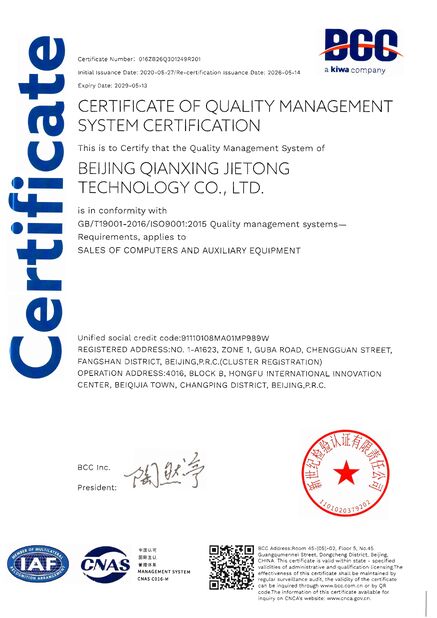
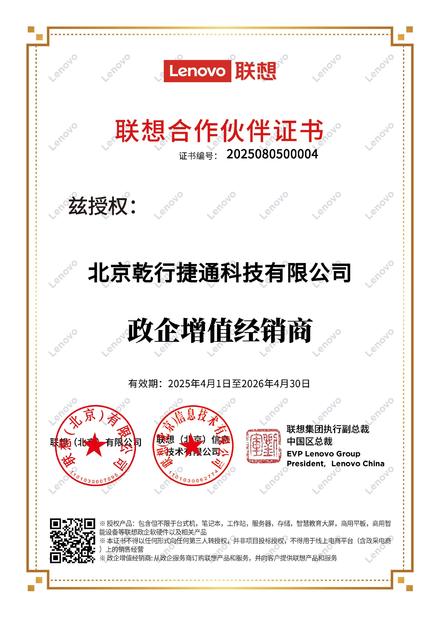
베이징 첸징 지에텐 기술 회사 (Beijing Qianxing Jietong Technology Co., Ltd.) 는 다음과 같은 기업 가상화 솔루션을 제공합니다.
- VMware 기반의 인프라 설계
- Dell & HPE 서버 배포
- 스토리지 및 RAID 최적화
- 데이터 센터 가상화 아키텍처
- 글로벌 IT 하드웨어 공급 서비스
오늘 저희와 연락하여 확장 가능하고 고성능의 가상화 솔루션을 디자인하세요.
베이징 첸징 지에텐 기술 회사, Ltd
샌디 양/글로벌 전략 책임자
왓츠앱 / 위ቻ트: +86 13426366826
이메일: yangyd@qianxingdata.com
웹사이트: www.qianxingdata.com/www.storagesserver.com
비즈니스 초점:
ICT 제품 유통/시스템 통합 및 서비스/인프라 솔루션
20년 이상의 IT 유통 경험을 바탕으로, 우리는 신뢰할 수 있는 제품과 전문적인 서비스를 제공하기 위해 세계적인 대표 브랜드와 파트너십을 맺습니다.
지능형 세계를 만들기 위해 기술을 사용하세요